Altar Vault overview.
Altar Vault is a reusable motion library inside After Effects. Save your own comps, presets and footage once, then drop them into any project.
Altar Vault is a library panel inside After Effects. You save a comp, a preset or a piece of footage once, and you can add it to any project later without rebuilding it. The first library is yours, on your own machine. A shared Team library comes second, once you want other people to use the same assets.
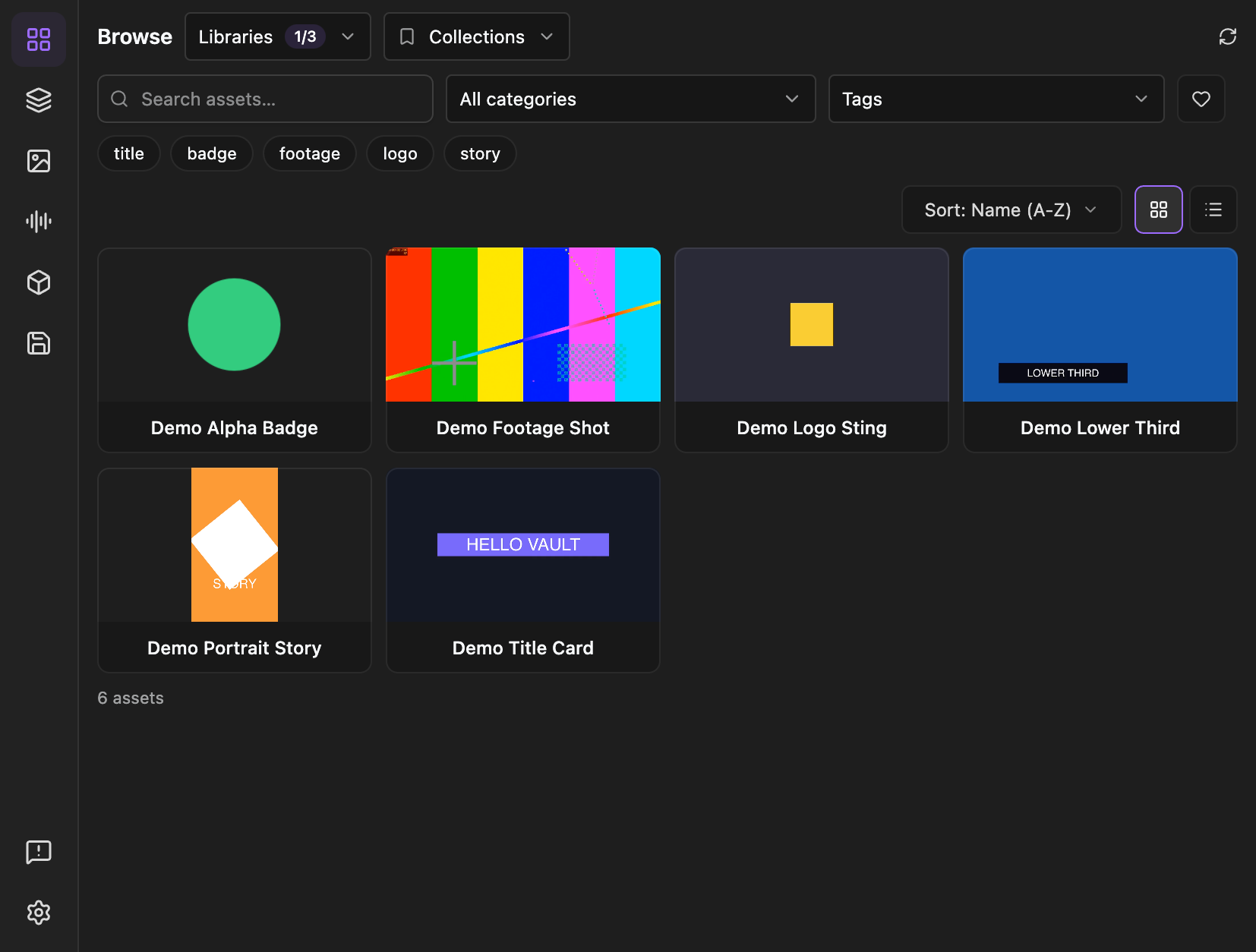
Where assets live
Two libraries exist in the current release:
- Local Library - a folder on your computer. Nothing is uploaded and you do not need an account. This is where most people start.
- Team Library - private storage shared by a team you have joined. Members can browse and add its assets. Joining needs an invite code and a signed-in account.
Browse shows the libraries you have turned on side by side. Each card carries a small label saying which library it came from. See Local and Team libraries.
Sidequest-published content is not a library in this release. Nothing in this manual depends on it.
The panel
Open Window → Extensions → Altar Vault. The rail on the left has:
- Browse - everything in the libraries you have on.
- Comps, Images, Sound Effects, 3D - Browse filtered to one category.
- Save - put a comp or a file into a library.
- Send feedback and Settings at the bottom.
The panel needs to be at least 450 px wide. Narrower than that it asks you to make it wider.
What you can do
Pick an asset in Browse and import it into your comp. Find and add an asset.
Save the comp you just built, with its footage, so the next project starts ahead. Save something for reuse.